الخميس، 14 مايو 2020

How To Automatically Translate Any Android App Into Any Language

There is the number of applications which are not having the features of translating apps to your favorite languages. This makes it difficult for the users to translate apps into their native language. Today, I am going to tell you about an application which will help you to Automatically Translate Any Android App into Any Language.
Nowadays there are around hundreds of application on play store which is having the feature of translate but some applications don't have this features. This is just because they don't have proper developers or sometimes translators.
There is an application launched by Akhil Kedia from XDA Developer which made it possible for all the users to translate the application to any language you need. This is something which everyone needs it.
Akhil Kedia built an Xposed module in which users can easily change the language of any application to whichever they like or love. Personally, we all love English language but there are peoples in many parts of the world they are suitable for other languages.
Automatically Translate Any Android App into Any Language

Automatically Translate Any Android App into Any Language

The best part about this Xposed Module is that it translates the application to any language whichever you like and there are around many languages which you can try it. The other best part about this application is that the user interface which is amazing.
In an Android application, the best thing is the user interface. This is something which helps users to download the module or application to run again and again. There are about many settings which can be changed from the application.
The setup process is a bit different from other applications but if you will look at the application you will definitely love it. Just because of too many settings and features available in the application and you can turn it to any language without any crashing issues of the application.

Requirements:

  • Rooted Android Phone
  • Xposed Framework installed on your phone.
  • Android 5.0 or higher.
  • Unknown Source enabled (You might be knowing it)
How to Automatically Translate Any Android App into Any Language
  • Download the module called as All Trans from here: Download
Automatically Translate Any Android App
  • Now, after installation, it will ask you to reboot your phone to activate the module
  • Now, you need to get the API Key to get it you need to sign up with Yandex first so sign up: Yandex Sign up
Automatically Translate Any Android App
  • Then after sign up you will get the API key just enter the API key in the All-Trans application.
Automatically Translate Any Android App
  • Open All Trans Application and the swipe right to Global Settings.
Automatically Translate Any Android App
  • Click on Enter Yandex Subscription key and then enter your key.
Automatically Translate Any Android App
  • In Global Settings click on Translate from and select the Language the application is already in. (Eg: English)
Automatically Translate Any Android App
  • Now, click on translate to and select your favorite language. This will change the language.
Automatically Translate Any Android App
  • Swipe left and select the applications which you need to translate and done.
Automatically Translate Any Android App
  • After selecting just open the application and the language is translated automatically.
Automatically Translate Any Android App

Final Words:

This is the best and easy way to Automatically Translate Any Android App into Any Language. I hope you love this article.Share this article with your friends and keep visiting for more tips and tricks like this and I will meet you in the next one.
Stay Updated Tune IemHacker

More articles


  1. Programa De Hacking
  2. Que Es Growth Hacking
  3. Growth Hacking Que Es
  4. Hacking Significado
  5. Significado De Hacker
  6. Hacking Linux
  7. Hacking Basico

Top 10 Best Google Gravity Tricks 2018

Best Google Gravity Tricks 2018

Top 10 Best Google Gravity Tricks 2018

Google is the search engine where the people look up for the things. Yet apart from being only a search engine this website is highly functional and has a lot of functions dubbed inside it. And even the webmasters don't know about all the features as they are so vast that you need to explore lots of things to get to know about them all.  There are a number of gravity opposing tricks in the Google search page that you would like to enjoy. Well many of you guys must be new to this word as only 15% of Google users know this thing and for rest, I'm here to guide you up in this. Here in this article, we have written about the best google gravity tricks that you could ever find in this year. If you are interested to know about it then please read the main section of this post as it is given below. This was all the introduction part of this post and now after this line, we are going to skip to the main section. We recommend you to read till the end to get the fullest information from this page!

Top 10 Best Google Gravity Tricks 2018

Below I have mentioned some of the best tricks that I tried as I was getting bored and thought about exploring something new and then I searched Google Tricks on google and then I get to know that even these things are also possible on the Google. You can use so many different things to kill your boredom on Google. There I decided to note down these tricks and share the article with you so that you can also avail these. So follow the below guide to proceed.

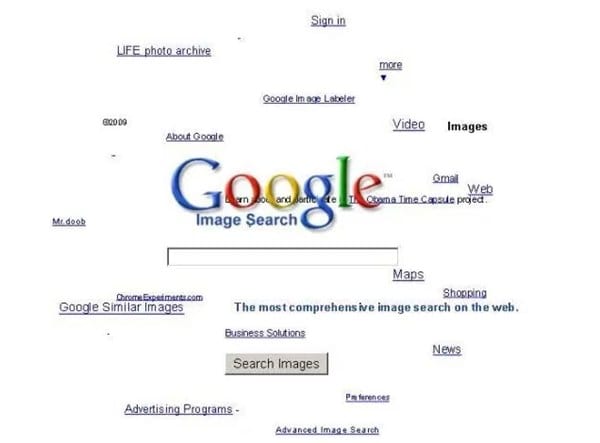
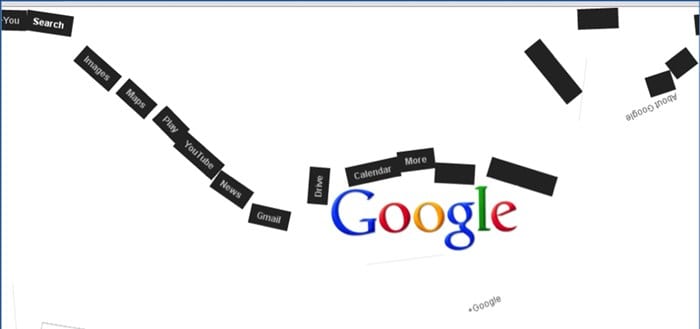
#1 Google zero gravity level fall

Best Google Gravity Tricks 2018
This is the first trick that amazed me as when I get to know this thing can happen when I was really surprised as it was quite funny. It is a standout amongst the most astonishing google gravity trap. In this trap, the substance will appear like tumbling to a level surface. Every one of the substances like pictures, writings, and so on of your page will be upset. They will look somewhat bouncy and turned around that looks exceptionally energizing and stunning.

#2 Google Sphere

Best Google Gravity Tricks That You Need To Try
This is second best google gravity trap. In this trap, the substance rotates in a round way. Be that as it may, you will think that its little hard to deal with it since you need to chip away at turning writings.

#3 Google Loco

Best Google Gravity Tricks That You Need To Try
This google gravity trap is much like the google zero gravity. You will see the substance as falling in a seismic tremor,

#4 Zerg Rush

Best Google Gravity Tricks That You Need To Try
This is one of my most loved google gravity trap. In this deceive you will see somewhere in the range of zeros spreading in your page. to utilize this trap Open Google.com and hunt Zerg Rush through utilizing the search bar.

#5 Google submerged

Best Google Gravity Tricks 2018
This is of the most attractive google gravity trap. In this deceive you will see a domain of submerged. You will see the pursuit bar coasting in the water.

#6 Do a barrel roll

Best Google Gravity Tricks That You Need To Try
This is likewise an astounding google gravity trap. In this deceive, you will get an impact to your page with which, your page will turn in a solitary minute.

#7 Google Guitar

Best Google Gravity Tricks That You Need To Try
This is additionally a stunning google gravity trap. In this deceive, you can play guitar on the web index. You can play your coveted tunes with it. Google will give you notes to your tunes.

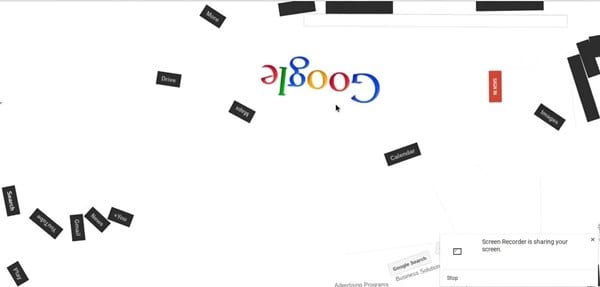
#8 Google zero gravity reversal

Best Google Gravity Tricks 2018
This is one of the coolest Google gravity trap. In this deceive, you will get a perfect representation of your site page. You will feel like you are on the opposite side of the screen.

#9 Google space

Best Google Gravity Tricks That You Need To Try
In this google gravity deceive you encounter a dream of the room. It implies that the substance of your page will appear like gliding noticeable all around with no gravitational power.

#10 Pacman

Best Google Gravity Tricks That You Need To Try
Best Google Gravity Tricks 2018 That You Need To Try
This is the standout amongst the most energizing google gravity trap. With this deceive, you can play Pacman game in this.
Finally, after reading this article, you have got to know about. We have tried to provide you this content in the simple and easy to read wordings and hope that you would have easily got about everything written up here. We believe that you might like this article and if it is what you think then please try to share it with others too. Your indulgence in our post is really valuable to us, so do not miss to write about your opinions and suggestions regarding this article through using the comments section below. At last but never the least thanks for reading this article!

More information


  1. Como Aprender A Ser Hacker
  2. Curso De Hacking
  3. Fake Hacking
  4. Crack Definicion
  5. Curso De Hacking Etico Gratis
  6. Hacking Iphone
  7. Blog Hacking
  8. Hacking Ético Con Herramientas Python Pdf
  9. Hacking Etico Pdf
  10. Crack Definicion
  11. Hacking Madrid
  12. Libro Hacking Etico
  13. Que Hace Un Hacker

الأربعاء، 13 مايو 2020

Ophcrack


" Ophcrack is an open source (GPL license) program that cracks Windows LM hashes using rainbow tables. The program includes the ability to import the hashes from a variety of formats, including dumping directly from the SAM files of Windows. There is also a Live CD version which automates the retrieval, decryption, and cracking of passwords from a Windows system. Rainbow tables for LM hashes of alphanumeric passwords are provided for free by the developers. These tables can crack 99.9% of alphanumeric passwords of up to 14 characters in usually a few seconds, and at most a few minutes. Larger rainbow tables (for LM hashes of passwords with all printable characters, including symbols and space) are available for purchase from Objectif Securité. Starting with version 2.3, Ophcrack also cracks NT hashes. This is necessary if generation of the LM hash is disabled (this is default on Windows Vista), or if the password is longer than 14 characters (in which case the LM hash is not stored)." read more...

Website: http://ophcrack.sourceforge.net

More info


What Is Keylogger? Uses Of Keylogger In Hacking ?


What is keylogger? 

How does hacker use keylogger to hack social media account and steal important data for money extortion and many uses of keylogger ?

Types of keylogger? 

===================

Keylogger is a tool that hacker use to monitor and record the keystroke you made on your keyboard. Keylogger is the action of recording the keys struck on a keyboard and it has capability to record every keystroke made on that system as well as monitor screen recording also. This is the oldest forms of malware.


Sometimes it is called a keystroke logger or system monitor is a type of surveillance technology used to monitor and record each keystroke type a specific computer's keyboard. It is also available for use on smartphones such as Apple,I-phone and Android devices.


A keylogger can record instant messages,email and capture any information you type at any time using your keyboard,including usernames password of your social media ac and personal identifying pin etc thats the reason some hacker use it to hack social media account for money extortion.

======================

Use of keylogger are as follows- 

1-Employers to observe employee's computer activity. 

2-Attacker / Hacker used for hacking some crucial data of any organisation for money extortion.

3-Parental Control is use to supervise their children's internet usage and check to control the browsing history of their child.

4-Criminals use keylogger to steal personal or financial information such as banking details credit card details etc and then which they will sell and earn a good profit. 

5-Spouse/Gf tracking-if you are facing this issue that your Spouse or Gf is cheating on you then you can install a keylogger on her cell phone to monitor her activities over the internet whatever you want such as check Whats app, facebook and cell phone texts messages etc . 

=====================

Basically there are two types of keylogger either the software or hardware but the most common types of keylogger across both these are as follows-

1-API based keylogger 

2-Form Grabbing Based Keylogger 

3-Kernal Based Keylogger 

4-Acoustic Keylogger ETC . 

====================

How to detect keylogger on a system?

An antikeylogger is a piece of software specially designed to detect it on a computer. 

Sometype of keylogger are easily detected and removed by the best antivirus software. 

You can view  the task manager(list of current programs) on a windows PC by Ctrl+Alt+Del to detect it.

Use of any software to perform any illegal activity is a crime, Do at your own risk.


Related articles


Mythbusters: Is An Open (Unencrypted) WiFi More Dangerous Than A WPA2-PSK? Actually, It Is Not.

Introduction


Whenever security professionals recommend the 5 most important IT security practices to average users, one of the items is usually something like: "Avoid using open Wifi" or "Always use VPN while using open WiFi" or "Avoid sensitive websites (e.g. online banking) while using open WiFI", etc.

What I think about this? It is bullshit. But let's not jump to the conclusions. Let's analyze all risks and factors here.


During the following analysis, I made two assumptions. The first one is that we are comparing public WiFi hotspots with no encryption at all (referred to as Open), and we compare this to public WiFi hotspots with WPA2-PSK (and just hope WEP died years before). The other assumption is there are people who are security-aware, and those who just don't care. They just want to browse the web, access Facebook, write e-mails, etc.

The risks


Let's discuss the different threats people face using public hotspots, compared to home/work internet usage:
1. Where the website session data is not protected with SSL/TLS (and the cookie is not protected with secure flag), attackers on the same hotspot can obtain the session data and use it in session/login credentials stealing. Typical protocols affected:

  • HTTP sites
  • HTTPS sites but unsecured cookie
  • FTP without encryption
  • IMAP/SMTP/POP3 without SSL/TLS or STARTTLS

2. Attackers can inject extra data into the HTTP traffic, which can be used for exploits, or social engineer attacks (e.g. update Flash player with our malware) – see the Dark Hotel campaign

3. Attackers can use tools like SSLStrip to keep the user's traffic on clear text HTTP and steal password/session data/personal information

4. Attackers can monitor and track user activity

5. Attackers can directly attack the user's machine (e.g. SMB service)

WPA2-PSK security


So, why is a public WPA2-PSK WiFi safer than an open WiFi? Spoiler alert: it is not!

In a generic public WPA2-PSK scenario, all users share the same password. And guess what, the whole traffic can be decrypted with the following information: SSID + shared password + information from the 4-way handshake. https://wiki.wireshark.org/HowToDecrypt802.11
If you want to see it in action, here is a nice tutorial for you
Decrypted WPA2-PSK traffic

Any user having access to the same WPA2-PSK network knows this information. So they can instantly decrypt your traffic. Or the attackers can just set up an access point with the same SSID, same password, and stronger signal. And now, the attacker can instantly launch active man-in-the-middle attacks. It is a common belief (even among ITSEC experts) that WPA2-PSK is not vulnerable to this attack. I am not sure why this vulnerability was left in the protocol, if you have the answer, let me know. Edit (2015-08-03): I think the key message here is that without server authentication (e.g. via PKI), it is not possible to solve this.
Let me link here one of my previous posts here with a great skiddie tool:

To sum up, attackers on a WPA2-PSK network can:

  • Decrypt all HTTP/FTP/IMAP/SMTP/POP3 passwords or other sensitive information
  • Can launch active attacks like SSLStrip, or modify HTTP traffic to include exploit/social engineer attacks
  • Can monitor/track user activity

The only difference between open and WPA2-PSK networks is that an open network can be hacked with an attacker of the skill level of 1 from 10, while the WPA2-PSK network needs and an attacker with a skill level of 1.5. That is the difference.

The real solutions


1. Website owners, service providers should deploy proper (trusted) SSL/TLS infrastructure, protect session cookies, etc. Whenever a user (or security professional) notices a problem with the quality of the service (e.g. missing SSL/TLS), the service provider has to be notified. If no change is made, it is recommended to drop the service provider and choose a more secure one. Users have to use HTTPS Everywhere plugin.

2. Protect the device against exploits by patching the software on it, use a secure browser (Chrome, IE11 + enhanced protection), disable unnecessary plugins (Java, Flash, Silverlight), or at least use it via click-to-play. Also, the use of exploit mitigations tools (EMET, HitmanPro Alert, Malwarebytes AntiExploit) and a good internet security suite is a good idea.

3. Website owners have to deploy HSTS, and optionally include their site in an HSTS preload list

4. Don't click blindly on fake downloads (like fake Flash Player updates)


5. The benefits of a VPN is usually overestimated. A VPN provider is just another provider, like the hotspot provider, or the ISP. They can do the same malicious stuff (traffic injecting, traffic monitoring, user tracking). Especially when people use free VPNs. And "Average Joe" will choose a free VPN. Also, VPN connections tend to be disconnected, and almost none of the VPN providers provide fail secure VPNs. Also, for the price of a good VPN service you can buy a good data plan and use 4G/3G instead of low-quality public hotspots. But besides this, on mobile OSes (Android, iOS, etc.) I strongly recommend the use of VPN, because it is not practically feasible to know for users which app is using SSL/TLS and which is not.

6. Use a location-aware firewall, and whenever the network is not trusted, set it to a Public.

7. In a small-business/home environment, buy a WiFi router with guest WiFi access possibility, where the different passwords can be set to guest networks than used for the other.

Asking the question "Are you using open WiFi?", or "Do you do online banking on open WiFi?" are the wrong questions. The good questions are:
  • Do you trust the operator(s) of the network you are using?
  • Are the clients separated?
  • If clients are not separated, is it possible that there are people with malicious intent on the network?
  • Are you security-aware, and are you following the rules previously mentioned? If you do follow these rules, those will protect you on whatever network you are.

And call me an idiot, but I do online banking, e-shopping, and all the other sensitive stuff while I'm using open WiFi. And whenever I order pizza from an HTTP website, attackers can learn my address. Which is already in the phone book, on Facebook, and in every photo metadata I took with my smartphone about my cat and uploaded to the Internet (http://iknowwhereyourcatlives.com/).


Most articles and research publications are full of FUD about what people can learn from others. Maybe they are just outdated, maybe they are not. But it is totally safe to use Gmail on an open WiFi, no one will be able to read my e-mails.

PS: I know "Average Joe" won't find my blog post, won't start to read it, won't understand half I wrote. But even if they do, they won't patch their browser plugins, pay for a VPN, or check the session cookie. So they are doomed to fail. That's life. Deal with it.

Related articles

الثلاثاء، 12 مايو 2020

BurpSuite Introduction & Installation


What is BurpSuite?
Burp Suite is a Java based Web Penetration Testing framework. It has become an industry standard suite of tools used by information security professionals. Burp Suite helps you identify vulnerabilities and verify attack vectors that are affecting web applications. Because of its popularity and breadth as well as depth of features, we have created this useful page as a collection of Burp Suite knowledge and information.

In its simplest form, Burp Suite can be classified as an Interception Proxy. While browsing their target application, a penetration tester can configure their internet browser to route traffic through the Burp Suite proxy server. Burp Suite then acts as a (sort of) Man In The Middle by capturing and analyzing each request to and from the target web application so that they can be analyzed.


Everyone has their favorite security tools, but when it comes to mobile and web applications I've always found myself looking BurpSuite . It always seems to have everything I need and for folks just getting started with web application testing it can be a challenge putting all of the pieces together. I'm just going to go through the installation to paint a good picture of how to get it up quickly.

BurpSuite is freely available with everything you need to get started and when you're ready to cut the leash, the professional version has some handy tools that can make the whole process a little bit easier. I'll also go through how to install FoxyProxy which makes it much easier to change your proxy setup, but we'll get into that a little later.

Requirements and assumptions:

Mozilla Firefox 3.1 or Later Knowledge of Firefox Add-ons and installation The Java Runtime Environment installed

Download BurpSuite from http://portswigger.net/burp/download.htmland make a note of where you save it.

on for Firefox from   https://addons.mozilla.org/en-US/firefox/addon/foxyproxy-standard/


If this is your first time running the JAR file, it may take a minute or two to load, so be patient and wait.


Video for setup and installation.


You need to install compatible version of java , So that you can run BurpSuite.
Continue reading
  1. Viral Hacking
  2. Hacking The System
  3. Hacking Meaning
  4. Hacker En Español
  5. Ingeniería Social. El Arte Del Hacking Personal Pdf
  6. Computer Hacking
  7. Que Estudia Un Hacker
  8. Hacking Quotes
  9. Chema Alonso Libros

USE OF CRYPTOGRAPHY IN HACKING

WHAT IS CRYPTOGRAPHY?

The Cryptography is derived from the Greek words "Kryptos". This is the study of secure communication techniques that allow only the sender and recipient of a message to view it's contents of transforming information into nonhuman readable form or vice versa is called cryptography.

As we know that information plays a vital role in running of any business and organizations etc, sensitive details in the wrong hands can leads to loss of business.

Cryptography is the science of ciphering and deciphering messages.To secure communication organizations use cryptology to cipher information .

                            Or

Cryptography is a method of protecting information and communication through the use of codes so that only those whom the information is intended can read and process it.

In Computer Science, Cryptography refers to secure information and communication techniques derived from mathematical concepts , a set of rule based calculations called algorithm to transform message in ways the hard to readable for human.

This is one of the secure way of communications for a hacker with the help of virtual private network(VPN) like Tor Browser which is also very helpful to change the IP Address(Location of the sender ) for illegal purpose to perform crime in cyberspace . I will discuss in brief about the VPN .


How to Encrypt and Decrypt the text in Cryptography?

Open this website with the help of internert surfing for encryption-"http://wwwmd5online.org" 

Open the link for Decrypt the code text-"http://www.md5online.org/md5-decrypt.html"

Type whatever you want for encryption and it will crypt in the code form, copy that code and forward to the intended person whom you want for secure communication and then he/she will Decrypt in the real form.


Related posts